

You can make a solo travel video feel like a connected scene with a phone, a steady frame, and a small set of repeatable shots. Start with one location and an activity you actually want to do. A reveal, a match cut, and a shot you can walk into give the sequence structure without needing a person behind the camera.
Set your phone before the first shot
Choose the final orientation before filming. A horizontal frame gives a travel scene room to breathe; a vertical frame changes what you can include around your body. Test the rear camera if you prefer its view, but check the composition before walking away from the screen.
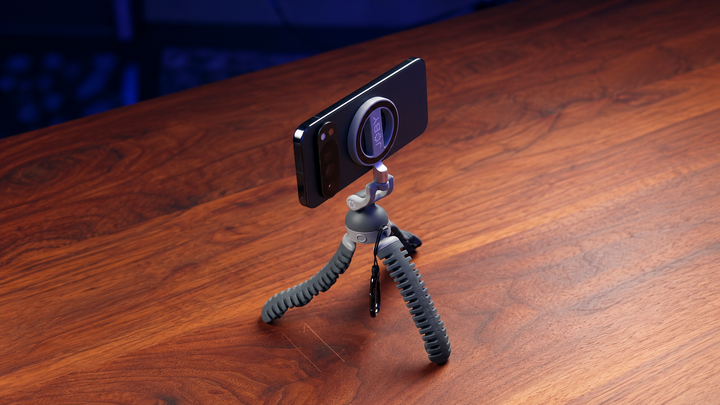
Choose a handheld grip or a phone tripod for the action you plan. A walk-into-frame scene needs a fixed viewpoint; a moving reveal needs you to hold the phone. Decide the support's role before setting the position.
Salty Cheeks' filming checklist uses 24 or 30fps, locked focus and exposure, and gridlines as a starting point. Apple's guide explains manual focus and exposure controls, including AE/AF Lock. Test those controls in your chosen camera mode before the take. Treat the creator's checklist as a workflow choice rather than the only correct settings for every phone or scene.
Use the gridlines available on your phone to straighten the composition. Keep the same lens selection for shots you intend to match. Changing both the viewpoint and lens between takes can make your size in the frame harder to repeat, even when the location itself looks similar.
Use a reveal to introduce the location
Begin with something that opens: a door, a trunk, or a bag. Let the movement introduce the next part of the trip. A close shot of picking up an item can connect the arrival to what you are about to do, giving the sequence a reason to move forward.
You do not have to record the whole journey between locations. One opening action and a clear view of the destination can communicate the change. Leave a little still footage around the motion so you have choices when trimming the clips together.
Connect locations with a match cut
Repeat an action in two places while keeping your apparent size and movement similar. Walking through one frame and continuing the movement in another creates a simple link between scenes. Matching movement across different locations connects separate spaces through an edit. Match the lens setting and camera-to-subject distance as closely as you can.
Record each version a few times. A slightly different walking pace or body position can make the edit feel interrupted. Check the first clip before recording the second so you are matching something visible rather than trying to remember it.
Step into an empty frame
Frame the location without you in it, start recording, and let it hold before walking into the shot. In Salty Cheeks' method, a hold of around five to ten seconds gives the scene time before the entrance. You can trim that space later; you cannot add a missing clean view of the location.
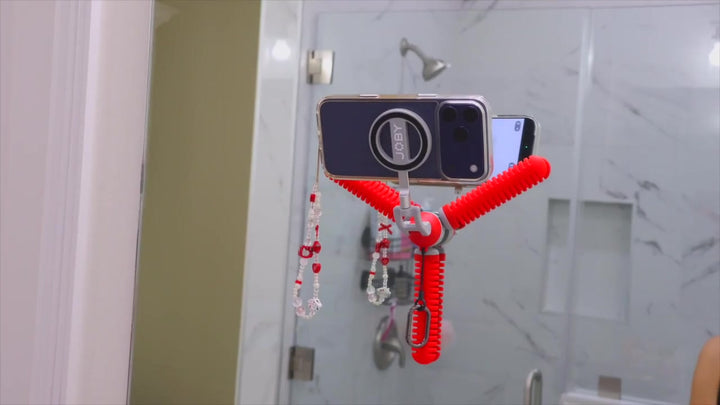
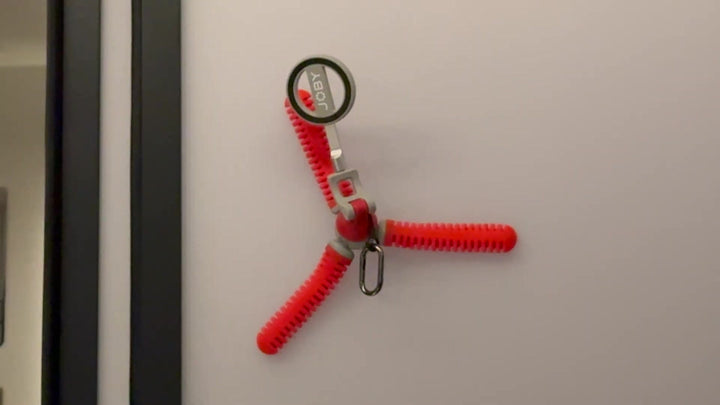
The JOBY PodZilla Octo Suction Tripod gives the phone a static support while you move. Use a suitable standing or wrapping position, or select a smooth surface for suction. Keep the camera close enough to supervise and check the phone connection before stepping into the scene.
The mounting surface and framing need to be right before you repeat an entrance. Changing the support midway through the sequence can change the composition. Once the shot is secure, vary your walking direction or timing rather than moving everything after each take.
Give small details their own shots
Record the small actions around the activity: setting down a bag, taking out equipment, or preparing to leave the arrival point. These details make a location feel inhabited. They also give you footage to place between larger views without repeating another wide shot.
Try an object point of view
Place the camera where an object would be, such as inside a bag, and reach toward it as part of the action. The perspective lets the viewer occupy the position of the item. Keep the device supported and avoid a placement that could be knocked over during the movement.
Salty Cheeks uses a small action camera for the object-POV example while noting that a phone can also work. The useful technique is the viewpoint, not a requirement to buy another camera. Test whether your phone fits the chosen position and whether the image stays clear before recording the action.
Cover the activity from three distances
Record wide, medium, and close shots: a wide view for the place, a medium view for you in the scene, and a close view for a detail. For a beach visit, that could mean the shoreline, your approach, and your feet near the water. Choose examples that fit your activity instead of reproducing a shot list mechanically.
Change camera height and distance with a purpose. A close detail answers what you are doing; a lower view can emphasize the movement. You do not need an unusual angle for every object, especially when a simple clear frame already tells the story.
Plan each of those three views from an appropriate dry position. A nearby static frame does not automatically solve filming in the water. Keep the phone setup on a suitable dry placement unless your device and equipment are designed for the conditions, and choose another view when the intended position is inappropriate.
Connect scenes with a whip tilt
At the end of the first clip, tilt the phone upward quickly. Begin the next clip with a similar upward movement, then settle on the new view. Cut where both images are blurred so the motion connects the locations. Direction and speed matter more than making the gesture complicated.
Finish with an activity or detail that resolves the small story, then review the sequence before repeating a scene. The reveal brings viewers in, the matched movements connect the places, and the steady frame lets you become part of your own travel film.
Common Questions About Solo Phone Filmmaking
How can I film myself without a camera operator?
Use a steady frame. Start recording on suitable support, leave an empty view, and walk into it. Check that your path and position stay visible. Compare phone tripods and mounts by the height and fixed view needed for your entrance.
What makes a match cut look smoother?
Repeat the movement and framing. Keep your size, lens setting, direction, and pace similar in both locations. Multiple takes give you alternatives when the timing differs.
Do I need an action camera for object POV?
No. A phone can work when it fits the placement securely. A smaller camera may be convenient for a confined position, but the point of the technique is the perspective.
Should every shot include camera movement?
No. Static shots give the viewer time to understand the place and let you enter the scene. Use movement where it introduces an action or connects locations, rather than adding it to every clip.