

Key Takeaways
- Flexible mounts help creators capture footage from unusual positions and surfaces.
- Lightweight, multi-mode tripods make spontaneous filming easier.
- Dedicated phone flashes improve control over lighting in mobile photography.
- Extended tripods and remote controls support solo filming, group shots, and wider compositions.
- Black Friday is a good time to invest in gear that solves specific production problems.
As content needs grow, equipment limitations can become frustrating. A regular tripod may not fit every location, bulky gear can slow down spontaneous filming, and poor lighting can affect photos even when the camera performs well.
Black Friday offers a good opportunity to address these problems without replacing an entire camera setup. From flexible mounts to portable lighting, here are four practical upgrades worth considering when shopping for Black Friday creator gear deals.
Flexible Camera Mounts for Creative Shooting Angles
A tripod works well on a flat surface, but many creative shots require a different setup. Flexible camera mounts help creators position their devices in places where traditional stands cannot reach.
Why Flexible Mounting Options Matter
Imagine recording a cooking tutorial from above a kitchen counter or filming a travel scene through a window. A standard tripod may not provide the right height or angle for these shots.
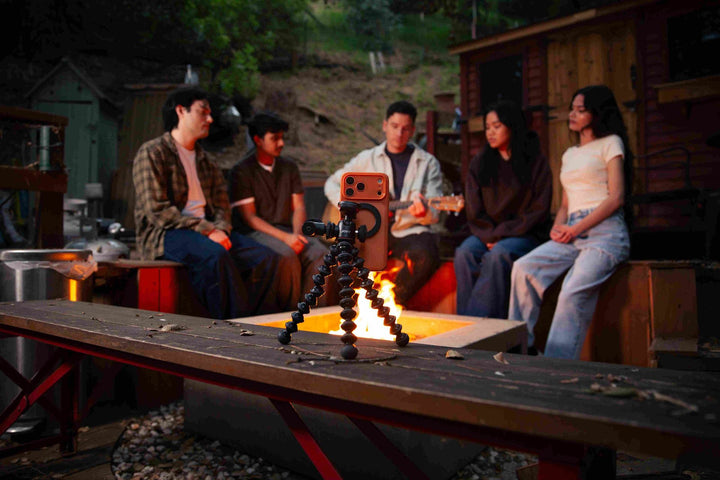
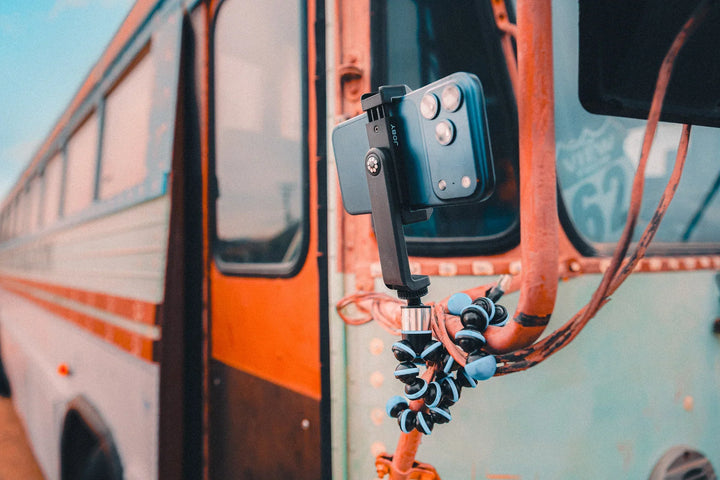
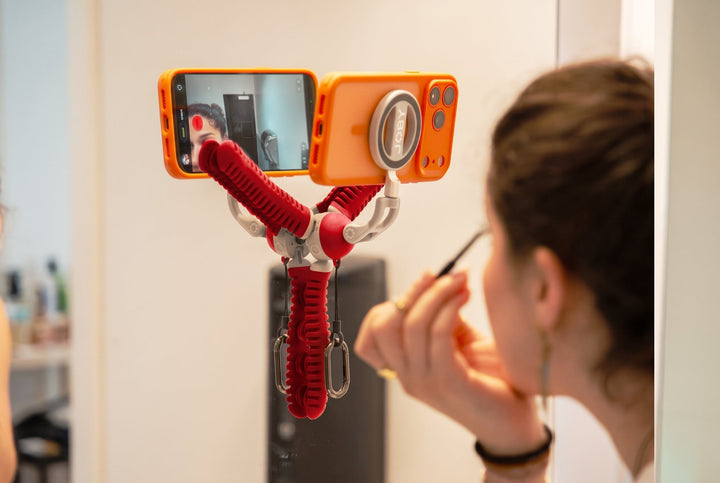
Flexible mounts offer more placement options. Their adjustable legs can wrap around suitable objects, while suction cups can attach to smooth surfaces. This gives creators more freedom to record hands-free footage without carrying several different stands.
These mounting options are useful for:
- Cooking and DIY tutorials that need overhead or close-up views.
- Travel videos filmed from suitable windows or railings.
- Product demonstrations that require specific camera angles.
- Outdoor content where flat ground is not available.
Features to Look for in a Flexible Tripod
Check the leg material, grip strength, and range of adjustment. A useful flexible tripod should hold its position after adjustment and support the weight of your device.
Suction cups also need suitable surfaces. Smooth, clean, flat areas provide better contact than rough or uneven materials. Always check the attachment before recording, especially when your device is mounted above the ground.
For creators who want more mounting options, the JOBY PodZilla® Octo Suction Tripod combines bendable legs with suction cup tips. Its adjustable 45° and 90° leg positions support different setups, while the magnetic phone mount makes mobile filming quick and convenient.
Lightweight Travel Tripods for Spontaneous Content Creation
Flexible mounts solve placement problems, but creators also need equipment they can carry and set up quickly. Lightweight, multi-mode tripods are useful for people who film outside a dedicated studio.

Why Portable Gear Makes Everyday Filming Easier
Travel vloggers, event creators, and social media users often record content as they move between locations. Carrying a full-size tripod for every short recording session can be inconvenient.
A compact tripod offers a simpler option. It can support a camera on a table, provide a grip for handheld recording, or raise the device slightly for a better selfie angle. Some designs also include clips or hooks that make carrying and temporary placement easier.
This type of equipment works well for:
- Quick travel updates and personal vlogs.
- Short videos recorded in cafes or public spaces.
- Product reviews and tabletop demonstrations.
- Behind-the-scenes footage at events.
What to Check in a Compact Multi-Mode Tripod
Weight and folded size should be high on your list. Check how easily the tripod changes between handheld and standing modes, and look for a secure grip that feels comfortable during longer recording sessions.
An adjustable head can help with portrait and landscape framing. A standard mounting thread and cold shoe slot may also allow you to connect compatible cameras, microphones, or small lights.
The JOBY HandyPod™ Clip Extend Tripod weighs just 106 g and combines handheld and tabletop support with an extendable pole. Its hanging hook and built-in carabiner add useful carrying and placement options for creators who film on the move.
Phone Flash Accessories for Better Mobile Photography
A stable camera position helps keep photos sharp, but lighting has an equally important role. For creators who take portraits, product photos, or nighttime images with a phone, a dedicated flash can provide more control.

When Is a Dedicated Phone Flash Useful?
Phone cameras often rely on ambient light or a built-in LED flash. In dim rooms or at night, these options may not provide the look a photographer wants.
A dedicated xenon flash produces a short burst of light. This can help freeze moving subjects and add more definition to portraits. It can also provide extra illumination for close-up product photography and spontaneous photos in low-light settings.
Flash photography is different from video lighting. A flash delivers a brief burst for a still image, while a continuous light stays on during recording. Creators should choose based on the type of content they produce.
Features to Consider When Buying a Phone Flash
- Look at color temperature, color accuracy, flash output, and power adjustment. Multiple power levels allow photographers to adapt the light to different distances and environments.
- Battery life and charging time also matter for creators who take photos throughout the day.
- Check phone compatibility and attachment requirements, since magnetic accessories may need a suitable phone or adapter.
For mobile photographers, the JOBY Beamo® Spark Lite Phone Flash uses a camera-grade xenon module with 5600K ±300K color temperature and CRI of at least 97. It offers four power levels and optical synchronization without requiring an app or Bluetooth connection.
These features make it a practical option for creators comparing Black Friday phone photography accessories and looking for more control over still photography.
Extended Tripods and Remote Controls for Solo Filming
Compact tripods are convenient for nearby shots, but they cannot always provide enough height for full-body videos or group photos. Extended tripods help creators frame wider scenes and operate their cameras from a distance.

Why Extended Reach Matters for Content Creators
A low camera position can make full-body framing difficult, especially when filming alone. Raising the camera gives creators more options for recording outfit videos, exercise demonstrations, travel scenes, and group content.
Remote controls add another level of convenience. Instead of walking back to the camera after every adjustment, creators can start recording or take photos from a distance.
These features are useful for:
- Solo travel vlogging and outdoor filming.
- Full-body outfit videos and fitness demonstrations.
- Group photos and family recordings.
- Interviews and tutorials that need a wider view.
Features to Check in an Extended Creator Tripod
- Start with maximum height, folded length, and weight. A tall tripod should still provide a stable base, especially when used outdoors.
- Check its load capacity against the camera and accessories you plan to attach.
- A wireless remote can make solo shooting easier.
- Additional cold shoe mounts are also useful for attaching compatible microphones and lights without carrying a separate rig.
The JOBY TelePod® TP09 Grip Tripod extends to approximately 71 inches and includes a detachable wireless remote with a range of up to 33 feet. Its 360° ball head and two integrated cold shoe mounts support flexible framing and compatible accessories.

How to Choose the Best Black Friday Gear for Content Creators
The four upgrades solve different production problems. Instead of buying every accessory available, identify the limitations in your current setup and spend your budget where it can make the biggest difference.
Match Equipment to Your Content Style
Your content format should guide your shopping decisions:
| Content creation need | Gear priority |
|---|---|
| Cooking, DIY, and creative demonstrations | Flexible mounting equipment |
| Travel vlogs and spontaneous recording | Lightweight multi-mode tripods |
| Portraits and low-light photography | Dedicated phone flash |
| Full-body videos and solo group shots | Extended tripods and remote controls |
Check Device Compatibility
Check the mounting thread, phone dimensions, device weight, and required adapters. If you plan to attach a microphone or light, confirm that the tripod has a compatible mounting point. Also consider the total weight of the complete setup, not just the main device.
Compare Value Instead of Chasing the Biggest Discount
A large discount does not automatically make a product the right choice. Compare the features you will actually use, the final purchase price, warranty coverage, and return policy.
Black Friday tripod deals and Black Friday lighting deals for creators can make useful upgrades more affordable. Still, a product that solves a recurring problem offers more value than an accessory that rarely leaves your storage bag.
Upgrade Your Content Creation Gear This Black Friday
A better filming setup doesn't have to mean more equipment. The right tripod, mount, or phone flash can help you capture shots that were difficult with your old setup. Take advantage of JOBY's 15% off sitewide from November 16 to December 1, 2026, and give your creative setup a useful upgrade.
FAQs
Q1: What Equipment Does a Beginner Content Creator Need?
A beginner can start with a smartphone or camera, a stable tripod, a microphone, and suitable lighting. The exact setup depends on the content format. For example, vloggers may prioritize portable support, while product photographers may need better lighting.
Q2: Is a Smartphone Enough for Professional Content Creation?
Yes. Modern smartphones can produce high-quality photos and videos for many commercial and social media applications. Good lighting, stable support, clear audio, and thoughtful framing can further improve the results.
Q3: What Is the Difference Between a Phone Flash and a Continuous Video Light?
A phone flash produces a short burst of light for photography, helping illuminate a subject or freeze motion. A continuous video light stays on while recording, allowing creators to see how the subject is lit throughout the shot.
Q4: How Do You Choose a Tripod for Vlogging?
Consider portability, maximum height, stability, device compatibility, and ease of adjustment. A handheld grip may suit short travel videos, while an extended tripod with a remote is more useful for full-body shots and solo filming.