

An RV vlog has a story before you add a camera: arriving somewhere, settling into the space, making food, and waking up the next morning. A phone on a compact support can help you appear in those moments while keeping your hands free. Plan the filming around the stay, then choose a few fixed views that explain how the place feels to use.
Build the vlog around one overnight stay
Everyday Chris' overnight Lightship visit moves through arrival, a look inside, meals, movie night, sleep, and the following morning. That sequence provides a useful model for a travel diary. The interest comes from changes over time and ordinary activities, rather than from recording every fixture or turning the entire stay into a technical tour.
For your own RV video, choose a beginning, a routine, and an ending. An arrival view establishes the place, a meal or small setup shows how you use it, and a morning moment brings the stay to a close. Decide which actions deserve recording before you begin, so the filming plan leaves room to enjoy the trip.
Fit the phone support to the RV interior
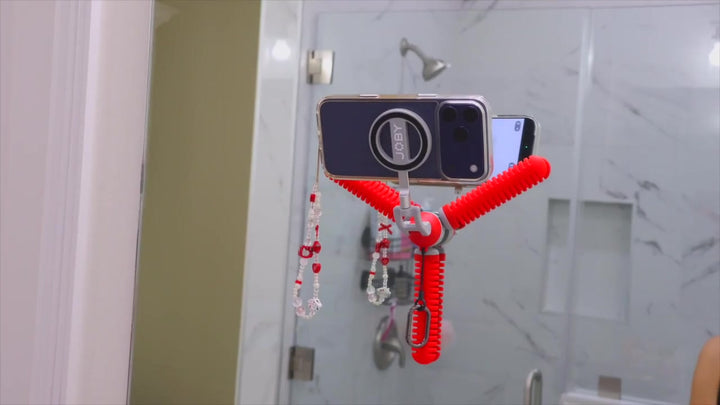
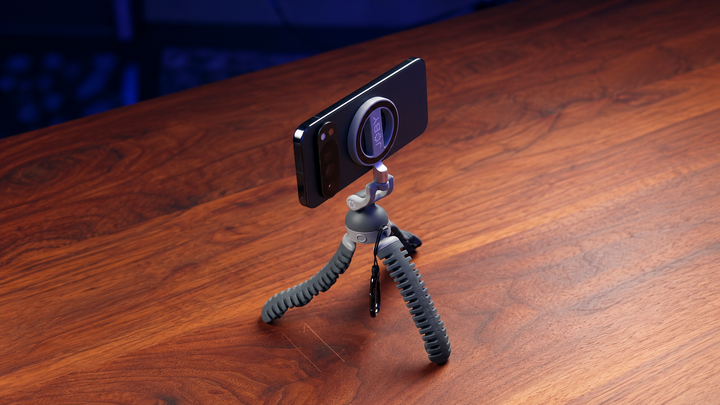
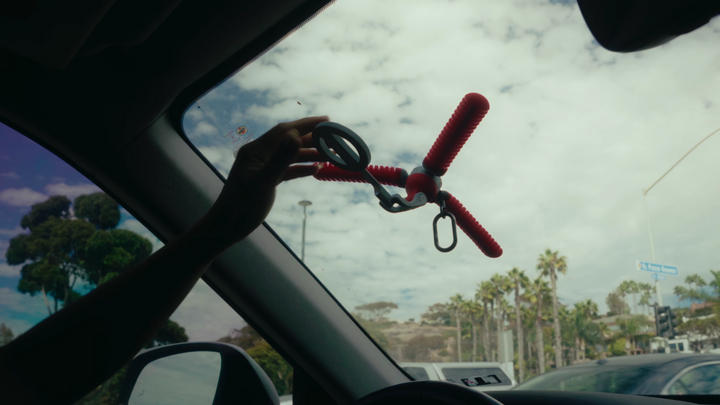
The JOBY PodZilla Octo Suction Tripod combines a magnetic phone mount with flexible legs and suction tips. During the RV visit, Chris explains that he uses it for some shots and describes both smooth-surface attachment and standing it on a counter. The accompanying product footage shows the compact support and phone connection inside the trailer.
These options address different framing needs. A stable nearby counter may provide a simple view of an activity. A suitable smooth-surface placement may free that counter for the task itself. Before recording, check where the phone sits relative to doors, drawers, and the route through the interior. The best position is one that fits the activity without obstructing it.
Use a window view with a purpose
The source stay includes ocean views and an interior with large windows. Decide whether the window is the subject or the background. For your own spoken scene, use window light to illuminate the subject rather than placing a bright window directly behind them. Check the phone's image before recording, because a view that suits the landscape may leave your face difficult to see. A landscape clip can still give the window view its own moment.
The product footage places the support against a window view, but it does not establish a long-duration adhesion test. Use that visible configuration as an example of positioning. Change the viewpoint to clarify the relationship between the interior and the setting. Do not assume that every attractive window scene in the vlog was filmed with the same device.
For suction tripod setup, begin with a clean, smooth surface. A textured cabinet is not equivalent to glass, and a placement that looks convenient still needs a checked connection. Keep a hand supporting the phone while evaluating the arrangement. If the material is unsuitable, choose another position rather than expecting the suction tips to solve every interior mounting problem.
Film routines while your hands are busy
Cooking, preparing a table, and changing the space for the evening are useful vlog subjects because they have visible actions and results. The source visit includes meals and a transition from lounging to sleeping. For your own recording, choose one action that can be understood in a fixed frame, then complete it naturally.
Start with a view that explains where the task happens. Add a closer detail if it helps the viewer understand the result, such as food being served or an item being put in place. Use wide, medium, and detail shots to give each routine visual coverage. Work through the actions that belong to your own stay without turning preparation into a repeated performance.
Give a time-lapse a clear subject
Before the night ends, Chris says he wants a time-lapse and reaches for the JOBY support. The useful idea is to give the camera a fixed view of something that changes over time. In your own stay, choose a subject with a visible change rather than recording a long stretch simply because the camera can remain in place.
If you use an iPhone for your own time-lapse, select Time-lapse mode and place the phone on a stable surface or tripod. Apple's instructions provide the starting operation; the subject and available light determine the view you need. Review a short test before committing to the longer recording.
Check the intended frame before recording. Consider what might enter it, whether the support remains appropriate for the placement, and whether you can supervise the setup. A small test helps you decide whether the result communicates the change you want. The tripod supports the view; the subject and the passage of time supply the story.
Connect evening and morning scenes
The overnight structure naturally provides a change in atmosphere. The source moves from indoor evening activities to the next morning and another meal. You can use the same approach in your own diary: let a few quiet details indicate the transition, then show a fresh activity that makes the morning feel distinct.
Use a wider interior view to keep the surroundings recognizable. If you repeat a view the following morning, keep the phone position and framing similar so the change in light or activity is easy to notice. Check the edges again when a chair, curtain, or other item has moved overnight.
Keep the camera routine manageable
Prepare the camera routine before the next activity. Keep the settings consistent for related clips and make a short picture-and-sound test from the position you plan to use. Make the correction while the scene is easy to repeat, rather than changing several things during the meal or evening routine.
In the edit, retain the scenes that explain the stay and remove setup time that adds nothing to it. A compact phone support is useful when it helps you participate in the story, then lets you return to the meal, view, or conversation. The finished sequence should feel like an overnight visit rather than a record of everything the camera captured.
When comparing mobile phone supports for an RV interior, consider the usable counter height and the space around the activity. A compact arrangement may suit a nearby static view, while a different camera-height requirement needs another suitable position. Choose around the places where you will prepare food, sit, and move through the room, so the setup fits the stay.
Common Questions About Filming an RV Stay
Can an RV video provide a complete story without many locations?
Yes. Arrival, a routine, an evening change, and the following morning can provide structure within one stay. Different actions and details give the viewer something new to follow without needing a new destination for every scene.
Should I attach the support to any available cabinet?
No. Suction needs an appropriate smooth surface. Check the material, phone connection, and placement, then use a stable standing arrangement or another suitable position when the cabinet is not appropriate.
How should I start a time-lapse on iPhone?
Use the Camera app's Time-lapse mode. Choose a changing subject, place the phone on a suitable stable support, and start with a test. Adjust the view for the actual setting rather than assuming one numerical recipe fits every stay.
How much of the stay should I record?
Choose a few meaningful scenes. A location view, a clear action, and a detail can explain each part of the visit. Stop when you have enough context, so the filming remains part of the trip rather than taking it over.