

Filming your car becomes easier when each camera position has a clear job. A fixed phone view can explain the cabin, a closer shot can show an action, and a handheld clip can connect the two. Start with the story you want to tell, then choose a compact support that lets you hold the useful viewpoints without rebuilding a large setup for every scene.
Start with the car story you want to tell
Vegas Carmen's new-Tesla video is primarily an ownership checklist, with a separate JOBY segment explaining some filming positions. The source shows the phone attached to glass, flexible legs being adjusted, and the support folding into a smaller shape. Those examples provide a practical basis for a car-content setup without turning the whole ownership checklist into a tripod tutorial.
Choose one subject for your own recording: a cabin overview, a personal update, or a feature you want to explain. Identify what viewers need to see before deciding where the camera should sit. A talking shot needs a comfortable view of you; a feature demonstration needs enough space around your hands and the part being used.
For a cabin explanation, choose the support position around the feature the viewer needs to see. A nearby fixed view can suit a spoken update, while a lower or closer view may be needed for a control. If the phone blocks the action or catches a distracting reflection, change the position before repeating the take.
Use glass placement to change the viewpoint
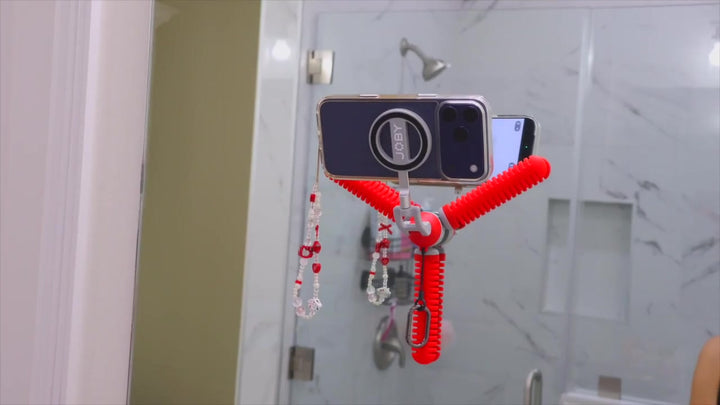
The JOBY PodZilla Octo Suction Tripod combines a magnetic phone mount with flexible legs and suction tips. The source includes both an interior view of a phone mounted against glass and an exterior view of the arrangement on the car window. Seeing the placement from both sides helps explain where the camera is, rather than asking the viewer to infer the setup from the finished shot.
For your own parked scene, decide what the window position needs to show. A wider view may include you and the cabin; a closer composition may emphasize an action. Check reflections and the edges of the image before recording. A convenient mounting surface is only useful if the resulting view actually explains the subject.
Shape the legs for the mounting position
The visible demonstration bends the legs before moving between configurations. Treat that flexibility as a way to adapt the support to a suitable position. Plan the placement, adjust the arrangement, and then check the phone connection with your hand supporting the device. Do not let an attractive camera angle distract you from the connection underneath it.
For suction tripod setup, use an appropriate clean, smooth surface. Textured dashboard trim is not the same as glass. The demonstrated car-window arrangement is a specific example, not vehicle certification or a promise about every driving condition. Set up your filming while parked. Phone use while driving takes attention away from driving, so finish the camera operation before setting off.
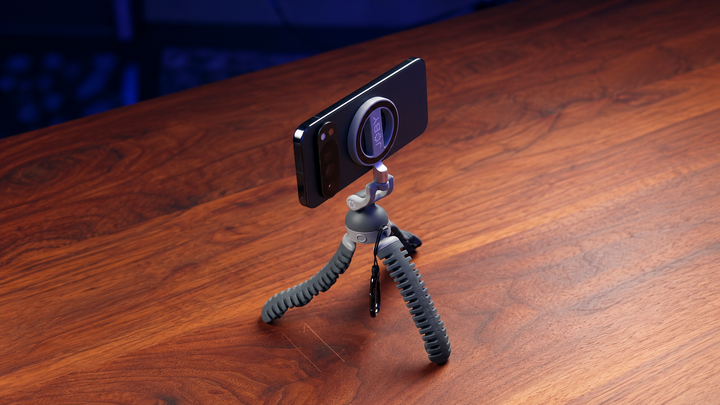
JOBY's product information lists 45-degree and 90-degree leg arrangements for standing and flatter suction placement. It also lists a 500g safe load capacity. Evaluate the actual phone, case, and accessory combination rather than treating the limit as a guarantee of adhesion to any surface.
Switch between fixed and handheld shots
The source describes using the support in hand for walking clips and adjusting it for a talking position. When choosing between a handheld grip and a fixed phone stand, decide whether viewers need movement through the cabin or an uninterrupted view of the action. That choice serves the clip you are making rather than creating a requirement to add a second piece of equipment.
Keep the fixed and handheld shots distinct. Use a fixed view to establish the cabin, and use a handheld view when moving between subjects adds context. If you are explaining a small control or storage detail, record a clear, settled view first. The support gives you choices between positions; it does not mean every clip needs a new mounting mode.
Fold the support between scenes
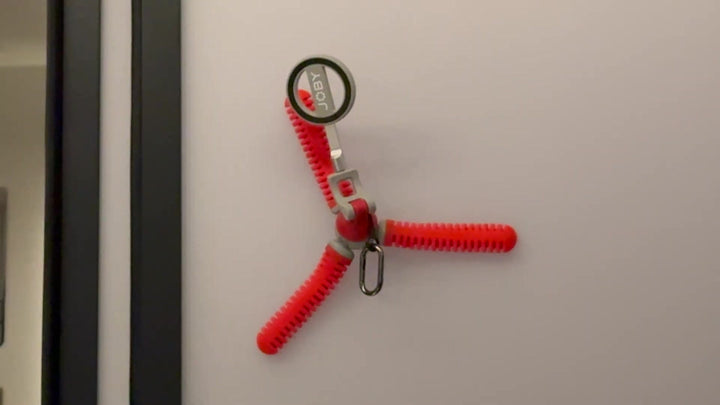
The folding demonstration shows how the support becomes compact enough to move with the filming routine. Carmen describes keeping his in the car's door pocket. Treat that as his storage habit, while choosing a suitable place for your own equipment so it is easy to retrieve when the next scene is ready.
Set the phone before recording
Check the view with the subject in position, not just with an empty cabin. A test recording can reveal a cropped face, a hidden action, or a reflection you overlooked while mounting the device. Review the complete movement you plan to demonstrate, then make the correction before recording the full explanation.
Listen for unwanted background sounds before recording a spoken update. An air-conditioner or nearby traffic can be easy to overlook while you concentrate on the mount. Listen back to a short test from the chosen phone position and decide whether you need a quieter location. Keep the car parked throughout the setup and recording, so checking picture and sound remains part of the filming task.
Build a clear sequence from the cabin
Record a view that establishes the area, the action that explains it, and a detail of the result. For example, a storage demonstration can begin with its location, continue with opening or using it, and finish on what the arrangement looks like. These are practical filming suggestions, not a claim that the source followed an identical sequence for every feature.
For the control or storage area you are explaining, plan close views of small actions after the wider cabin frame. Repeating the same action from a second distance can give you an edit without needing to reposition the camera halfway through a take. Keep the detail clear enough that the viewer can understand what changed.
Trim pauses that do not help the viewer, but keep enough time to understand the action. End the sequence when the explanation is complete. A compact phone support earns its place by making the useful frame repeatable, so the car story stays clear and the mounting routine stays in the background.
Compare phone tripods and mounts by the positions you need while parked. Check whether the support can hold a useful view of your face, hands, and cabin feature without occupying the working area. Choose around the arrangements you will repeat, and keep the filming plan small enough to finish the explanation without rebuilding the setup for every detail.
Common Questions About Filming Your Tesla
Is this a dedicated Tesla driving mount?
No. PodZilla Octo is a phone tripod with suction tips and flexible legs. A demonstrated glass placement does not establish vehicle certification or permission to mount equipment anywhere on a moving vehicle.
Can I use suction on dashboard trim?
It depends on the surface. Suction is intended for appropriate smooth material. Evaluate the actual texture and placement, and choose a stable standing arrangement or another suitable position when suction is not appropriate.
Do I need both fixed and handheld clips?
Not necessarily. Choose for the explanation. A fixed shot may cover the complete action, while a handheld clip is useful when movement adds context. Add a second viewpoint only when it tells the viewer something new.
How do I avoid losing time to setup?
Plan a few repeatable positions. Check the connection, framing, and phone settings before the take, then cover related details from the same useful view. Keep the support accessible between scenes so the next recording begins with the subject rather than the equipment.